
Smack Talk Controls
Platform-fighter feet, voice-fighter hands — every bind that actually matters.
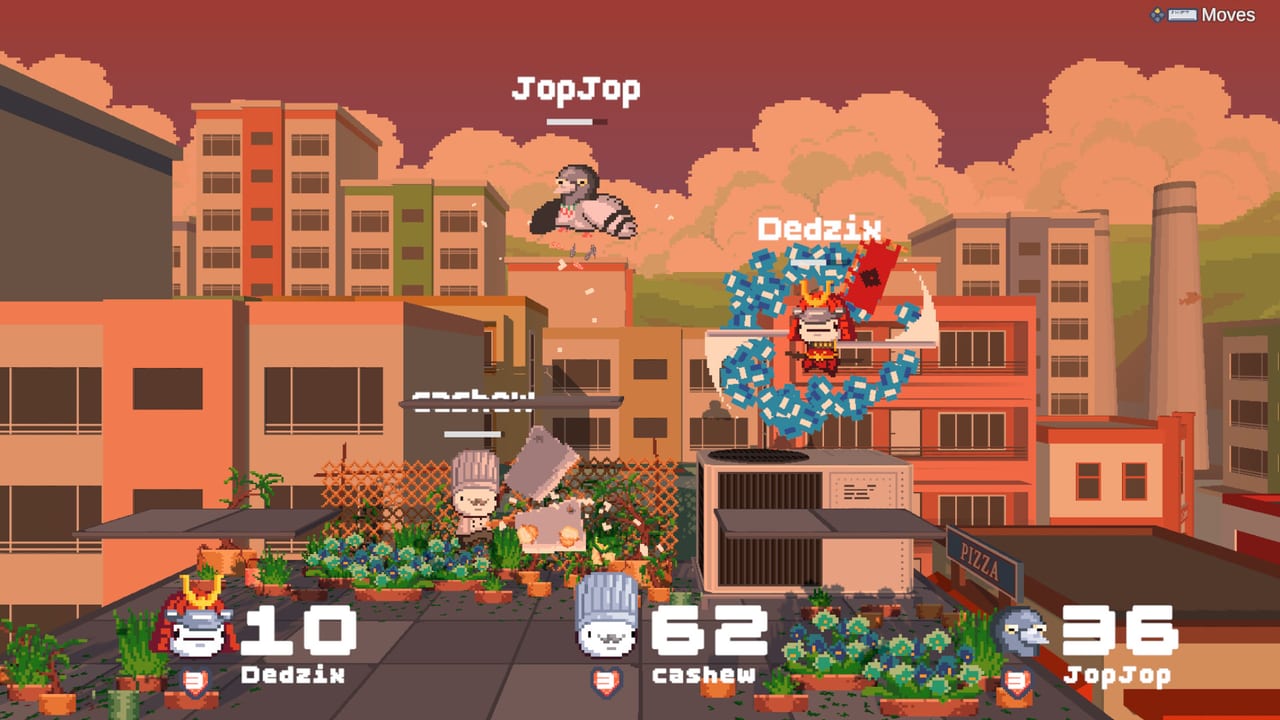
Smack Talk controls split in a way most fighters never do. Movement, jump, shield-less platforming, and the move-list overlay are ordinary inputs. Attacks are not. If you sit down expecting a button that does jab, you will walk in circles until someone speaks you offstage. Read this page with a keyboard or pad in hand, then keep voice commands next to it.
Steam lists full controller support and a keyboard-only option. Both are real. Steam Deck is Playable, which means you can map a layout, not that every overlay is perfect on a tiny screen. Custom volume controls exist because you need game SFX quieter than your own voice.
Keyboard defaults
Community how-to videos agree on the core:
| Action | Default |
|---|---|
| Move | WASD |
| Jump | Space |
| Fast-fall / drop | S |
| Show spoken moves | Shift |
| Menu / pause | Esc (confirm in your build) |
WASD is not optional flavor. You need to walk during a phrase’s start-up. Several balance patches explicitly “enabled movement on windup frames” for Chef, Doctor, Pirate, Bug, and others because standing still while the recognizer thinks is a death sentence. If a patch disables movement during Cowboy Quick Draw hitboxes, that is a nerf you feel in the fingers, not the throat.
Jump is a stock. Short hop if you can; full hop if you are recovering. Fast-fall on S is how you return to stage to reset the three-up-attack counter. That cap — three up attacks, then touch ground — was added in the Bird and Doctor update to stop people from living in the sky. Count your up lines the way Smash players count jumps.
Shift is the most important bind on the keyboard. It is the in-game voice phrase sheet. Screenshots from rooftop matches even label a Moves prompt in the corner. If Shift does nothing, you rebound it or you are in a menu. Fix that before you practice Duck cadence.
Controller and Deck
Use any pad Steam recognizes. Map movement to the left stick, jump to a face button you can hit while talking, and put the move-list overlay on a bumper you can hold without dropping the stick. Do not map “attack” to a button and expect a jab — the design does not center on that. If a community layout adds a button as a crutch, treat it as accessibility, not the default fantasy.
Steam Deck players should confirm the OS-level mic and the in-game device list. A Deck that plays other games fine can still deny this Unity client. Test in the tutorial stage, not in an eight-player city match. If the overlay is unreadable, bind it to a back button and raise UI scale if the options menu offers it.
Mic is a control, not an accessory
Treat the microphone like a trigger. Push-to-talk in Discord should not overlap the same hotkey you use to talk to the game. Exclusive-mode recording in Windows will steal the device. Multiple devices (headset plus webcam plus Virtual Cable) make the game pick the wrong one after a lobby change. That is why the leave-lobby bug felt like a controls bug: the bind still “worked,” the device did not.
Mac permission prompts are controls too. If the OS never asked, the game will never hear you. Linux Snap/Flatpak is the same story. Walk the mic setup list as if it were a keybind page.
Practice routine for hands
Five minutes, no opponents:
- Walk a full platform without touching a blast zone.
- Jump, fast-fall, land, repeat until it is boring.
- Hold Shift, read three lines, release, walk.
- Jump backward and say the recovery on the way up.
- Touch ground, reset, do it from the other side.
Then go into how to play and add percent. Then steal a stock with an edge-guard from combos. Fingers first, mouth second, ego never.
If you came from Smash, unlearn the C-stick for now. If you came from Mage Arena-style shout games, learn that missing a platform is still a stock. Mix those two instincts and the getting started hour actually sticks.
Rebind only after a week. New players who remap jump, overlay, and push-to-talk on night one will spend the session fighting the keyboard instead of Chef.
Frequently Asked Questions
Quick answers to the most common Smack Talk questions.
What is the Shift key for in Smack Talk?
It shows the current fighter's spoken moves. Use it constantly until the lines are memory, then keep it for patch changes.
Is there a punch button?
Movement is on WASD or a stick. Attacks are voice lines. A controller still needs a mic to play the real game.
Why can I only shout upward a few times?
Up attacks are capped at three until you touch ground. Fast-fall with S to reset. Details in how to play.
Does Steam Deck work?
It is listed Playable. Confirm microphone permissions and a readable overlay bind before you trust it in public lobbies.