
Smack Talk Links
Official store, studio channels, and the fan pages that do not pretend to be official.
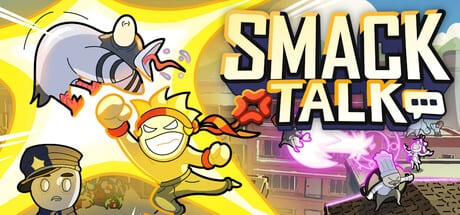
This hub is the directory. Smack Talk is a Steam game from Monchii Studio. If a link is not Steam, Discord, or a studio social, treat it as unofficial — including this wiki. Start with the community page for clickable official destinations, and the review if you still need a buyer’s verdict after 1.0.
Official destinations worth typing carefully:
- Steam store: app 4020490, the Play on Steam button in the header.
- Steam news hub: the same app’s announcements, which this wiki compresses on patch history.
- Discord: the invite printed on the store page and in trailers (the support field has also listed a second invite — prefer the store page if one expires).
- YouTube: Monchii’s channel, source of the trailer on the home page and the character videos embedded in Chef and Diver.
- TikTok / Instagram: @monchiistudio and @monchii.studio for the comment-contest pipeline that created Cat, Rat, jail props, and more.
What this wiki is for
Internal links are the product. Getting started for night one, mic setup for dead phrases, roster for names, character tier list for arguments, version 1.0 for the launch package. If an external “tier list” disagrees, that is allowed. Ours is labeled fan-made in the footer.
We do not host executables, cracks, or “script hubs.” We do not invent YouTube IDs. We do not scrape other wikis. Legal pages are English-only at /terms/, /privacy/, and /cookies/ for every language of the site.
How to not get lost
If you want to play, Steam. If you want to hear patch intent, Discord and Steam news. If you want to learn, this site’s guides hub. If you want to know whether the 1.0 price is fair, the review. That is the whole map.
When a social clip shows a fighter this wiki has not named, believe the clip, then check Shift, then wait for a Steam post before we add a kit page. The roster grew because the studio listens. The wiki follows the posts, not the other way around.
Using the directory without getting scammed
Party fighters attract clone storefronts. If a page asks you to install a launcher that is not Steam, close it. If a page offers free keys in exchange for a survey, close it. The only purchase button this wiki endorses is the official app 4020490 listing. Bundles (Smack Pack with Smack Studio, Shrimp Talk with Overkrill) still resolve through Steam checkout.
Bookmark three internals and one external: getting started, mic setup, patch history, and Steam news. That set survives a social-media outage. Discord is useful for votes and bug GIFs; it is not required to play. If the invite dies, the store page will grow a new one.
Language versions of this wiki share the English legal trio. Switching to French does not create a French terms page. That is intentional. Community chatter can be French, German, or Spanish in the game client; the lawyers stay in one place.
If you are linking this wiki from a Discord pin, link the hub that matches the question. Mic dead → tools. Who is S → tier list. What is 1.0 → updates. Dumping the homepage into every channel is how people bounce. Be as precise as a recovery phrase.
Frequently Asked Questions
Quick answers to the most common Smack Talk questions.
Is smacktalk.wiki official?
No. It is a fan wiki. Official news lives on Steam and the studio Discord listed on community.
Where do I buy the game?
Steam only for PC. Windows, macOS, and Linux are listed; Steam Deck is Playable.
Where are terms and privacy?
English legal pages at /terms/, /privacy/, and /cookies/, shared by every language.